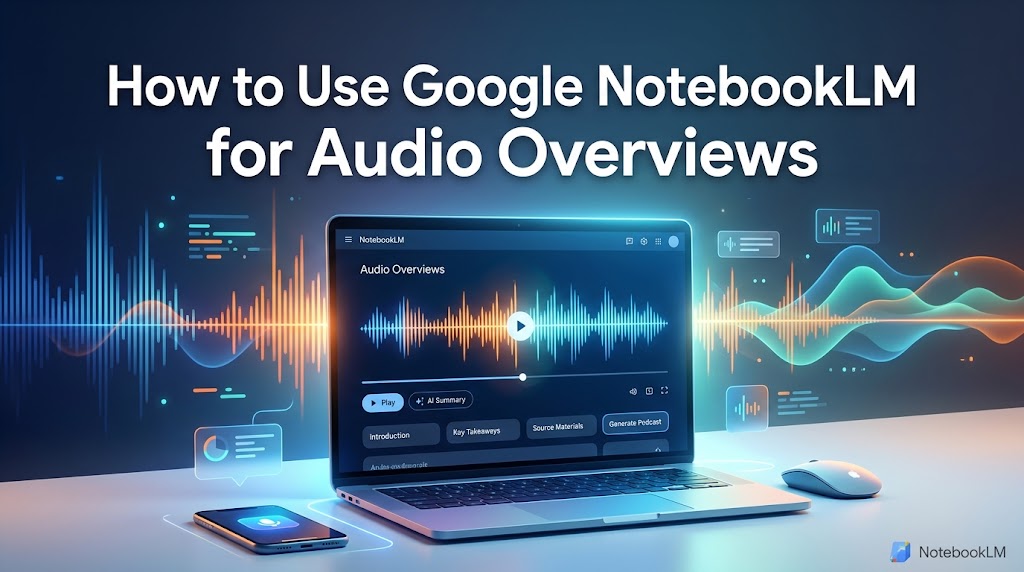
Learning how to use Google NotebookLM for Audio Overviews can completely change the way you study, research, and consume information. Instead of reading through long documents, research papers, notes, presentations, or other sources, NotebookLM can turn your information into an engaging, podcast-style discussion between AI hosts.
Google NotebookLM is an AI-powered research and learning tool designed to work with the sources you provide. Its Audio Overview feature creates an audio discussion based on the content in your notebook, making it useful for students, researchers, professionals, writers, and anyone who prefers learning by listening.
In this guide, we will explain how to use Google NotebookLM for Audio Overviews, how to add sources, customize the generated discussion, choose languages, listen to the result, and get better results from your sources.
What Is Google NotebookLM Audio Overview?
NotebookLM Audio Overview is a feature that transforms information from your notebook sources into a podcast-style audio discussion. The AI hosts discuss the important ideas in your uploaded material and can connect concepts across multiple sources.
Google originally introduced Audio Overview as a way to turn documents, slides, charts, and other sources into an engaging conversation. The feature has since received additional controls, including customization and support for many languages.
This makes Audio Overview particularly useful when you have a large amount of information but limited time to read everything manually.
Why Use NotebookLM for Audio Overviews?
There are several reasons people use NotebookLM to create audio summaries. One of the biggest advantages is convenience. You can listen while commuting, exercising, walking, doing household tasks, or taking a break from your computer.
Audio Overviews can also make complicated information easier to approach. Instead of looking at a long block of text, you can hear an AI-generated conversation that discusses the major concepts in your sources.
- Turn written material into an audio discussion.
- Review study materials without constantly reading.
- Understand relationships between multiple sources.
- Create useful audio summaries from research materials.
- Listen to information while multitasking.
- Customize the focus and style of the generated discussion.
- Use supported languages for more accessible learning.
How to Use Google NotebookLM for Audio Overviews
1. Open Google NotebookLM
The first step is to open Google NotebookLM and sign in with your Google account if required. You can access NotebookLM through its official website and begin creating a notebook for your project, subject, research topic, or study material.
If you are new to Google’s AI tools, you may also find it useful to explore Google’s NotebookLM resources to understand the platform and its latest capabilities.
2. Create a New Notebook
After opening NotebookLM, create a new notebook. Think of a notebook as a dedicated workspace for a particular subject or project.
For example, you could create notebooks for a university course, business research project, book, marketing strategy, technical documentation, or personal learning topic.
Keeping related sources together helps NotebookLM create a more focused Audio Overview.
3. Add Your Sources
The quality of your Audio Overview depends heavily on the sources you provide. Add relevant material to your notebook before generating the audio.
Depending on the available NotebookLM features, sources can include documents, PDFs, Google Docs, Google Slides, websites, YouTube content, and audio files. Google has expanded NotebookLM’s source capabilities over time, including support for public YouTube URLs and audio files.
For example, a student could add lecture notes, presentation slides, research papers, and relevant web sources to one notebook. NotebookLM can then use those materials to create an Audio Overview based on the available information.
4. Review Your Sources Before Generating Audio
Before creating an Audio Overview, take a moment to check whether your sources are relevant and accurate. Remove unnecessary documents and make sure important information has been included.
This step matters because the generated discussion reflects the information available in your notebook. If your sources are incomplete, outdated, or contain errors, the resulting Audio Overview may not provide the explanation you expect.
5. Open the Studio Panel
Once your sources are ready, open the Studio section of NotebookLM. The Studio area provides tools for generating different types of content from your notebook.
Look for the Audio Overview option and select it. Current NotebookLM documentation describes Audio Overview as a deep-dive discussion between AI hosts based on the key topics in your uploaded sources.
6. Generate the Audio Overview
After selecting Audio Overview, NotebookLM will begin generating the audio. The process can take some time depending on the amount and complexity of the information.
The generated audio is designed to discuss the material rather than simply read your documents word for word. This conversational format can make long or complicated subjects easier to listen to.
Once the Audio Overview is ready, you can use the built-in player to start listening.
How to Customize a NotebookLM Audio Overview
One of the most useful features is the ability to provide instructions before generating an Audio Overview. Instead of always accepting the default discussion, you can guide the AI hosts toward specific topics or a particular level of explanation.
Google introduced customization that allows users to tell the AI hosts what to focus on and adjust the level of expertise for the discussion.
For example, you might ask the hosts to:
- Focus on the most important concepts.
- Explain difficult terminology for beginners.
- Discuss only information from selected sources.
- Compare two different ideas.
- Focus on practical examples.
- Provide a concise review for exam preparation.
Adding clear instructions can make the final Audio Overview more useful because the AI has a better idea of what you want to learn.
How to Choose the Audio Language
NotebookLM has expanded Audio Overviews beyond English. Google announced support for more than 50 languages in 2025 and later expanded the experience further, including more detailed Audio Overviews in supported languages.
If your version of NotebookLM provides language controls, open the relevant settings or customization options and select your preferred output language.
This can be particularly helpful for students and professionals who understand complex subjects better in their native or preferred language.
How to Listen to Audio Overviews on Mobile
NotebookLM also has mobile apps, allowing users to listen to Audio Overviews while away from their computers. Google introduced official NotebookLM apps for Android and iOS with features designed for listening on the go.
On supported devices, you can listen in the background while using other applications. You may also be able to download Audio Overviews for offline listening, depending on the current app features available to your account.
This makes NotebookLM useful for turning study time into something you can do while commuting, walking, or performing routine tasks.
Tips for Getting Better Audio Overviews
Use High-Quality Sources
Start with reliable and relevant sources. If you add unrelated or low-quality material, the resulting discussion may become less useful.
Keep Your Topic Focused
A notebook containing information about one specific subject will generally be easier to work with than a notebook containing completely unrelated topics.
Give Clear Custom Instructions
Instead of simply generating an Audio Overview, tell the AI hosts what you want them to emphasize. Clear instructions can help you get a discussion that better matches your learning goal.
Use Multiple Related Sources
One of NotebookLM’s strengths is its ability to work with multiple sources. Adding several related documents can help you explore connections and differences between them.
Can NotebookLM Audio Overviews Make Mistakes?
Yes. Although NotebookLM is designed to work from your provided sources, AI-generated content can still contain inaccuracies. Google itself has noted that Audio Overviews may sometimes introduce inaccuracies and should not be treated as a perfect or completely comprehensive representation of a subject.
For important academic, professional, legal, medical, or financial information, always check the original sources rather than relying entirely on an AI-generated audio discussion.
NotebookLM should be treated as a tool for understanding and reviewing information, not as a replacement for verifying important facts.
Common Uses for NotebookLM Audio Overviews
There are many ways to use Audio Overviews in everyday life. Students can use them to review lecture notes and study materials. Researchers can listen to discussions about their collected sources. Professionals can use them to review reports and documentation.
Writers can also use NotebookLM to understand research materials before creating an article, while business users can use it to review reports, presentations, and project documents.
Some popular use cases include:
- Exam preparation
- Research review
- Book and document summaries
- Business report review
- Lecture and class material review
- Learning new subjects
- Reviewing YouTube educational content
- Listening to research while commuting
NotebookLM Audio Overview vs. Reading a Document
Reading a document gives you direct access to every detail, while an Audio Overview provides a more conversational way to understand the major ideas. Neither approach is necessarily better for every situation.
For detailed research, you should still read the original material. However, an Audio Overview can be an excellent starting point when you want to understand the big picture before going deeper.
A useful strategy is to listen to the Audio Overview first, identify the topics that require more attention, and then return to the original sources for detailed reading.
Final Thoughts
Learning how to use Google NotebookLM for Audio Overviews is relatively simple. Create a notebook, add reliable sources, open the Studio section, select Audio Overview, customize the instructions if necessary, and generate the audio.
The feature can turn documents, research materials, presentations, websites, and other supported sources into engaging discussions that are easier to consume while multitasking. With multilingual support, mobile access, customization options, and increasingly detailed Audio Overviews, NotebookLM has become a useful tool for students, researchers, professionals, and everyday learners.
However, remember that AI-generated audio can contain mistakes. For important information, use the Audio Overview as a learning and review tool while checking the original sources for accuracy.
Frequently Asked Questions
What is an Audio Overview in NotebookLM?
An Audio Overview is an AI-generated discussion that explains and connects information from the sources in your NotebookLM notebook. It is presented in a podcast-style conversational format.
How do I create an Audio Overview in NotebookLM?
Create or open a notebook, add your sources, open the Studio panel, select Audio Overview, and generate the discussion. You can also customize the instructions when the available options allow it.
Can I customize a NotebookLM Audio Overview?
Yes. NotebookLM provides customization options that can allow you to guide what the AI hosts focus on and tailor the discussion to your needs.
Can NotebookLM create Audio Overviews in different languages?
Yes. NotebookLM has expanded Audio Overview language support significantly, allowing users to generate audio in many supported languages.
Can I listen to NotebookLM Audio Overviews on my phone?
Yes. Google provides NotebookLM mobile apps, allowing users to listen to Audio Overviews on supported Android and iOS devices.
Are NotebookLM Audio Overviews always accurate?
No. AI-generated Audio Overviews can sometimes contain inaccuracies. Always verify important information against the original sources.